Kroolo
Project Management
An AI-powered work platform combining projects, tasks, docs, goals, and chat in one app
ai-project-managementall-in-oneokrs
Free planView →

ClickUp AI (Brain²) is an AI productivity layer integrated into the ClickUp project management platform, offering con...
Our assessment — not a user rating. How we score
Verified against each vendor's own trust page. Not legal advice — confirm current status with the vendor.
Genuinely useful if you already run work in ClickUp, surfacing summaries, task generation and writing help right inside docs and tasks. But it is not a standalone reason to adopt the platform, so value depends on committing to ClickUp.
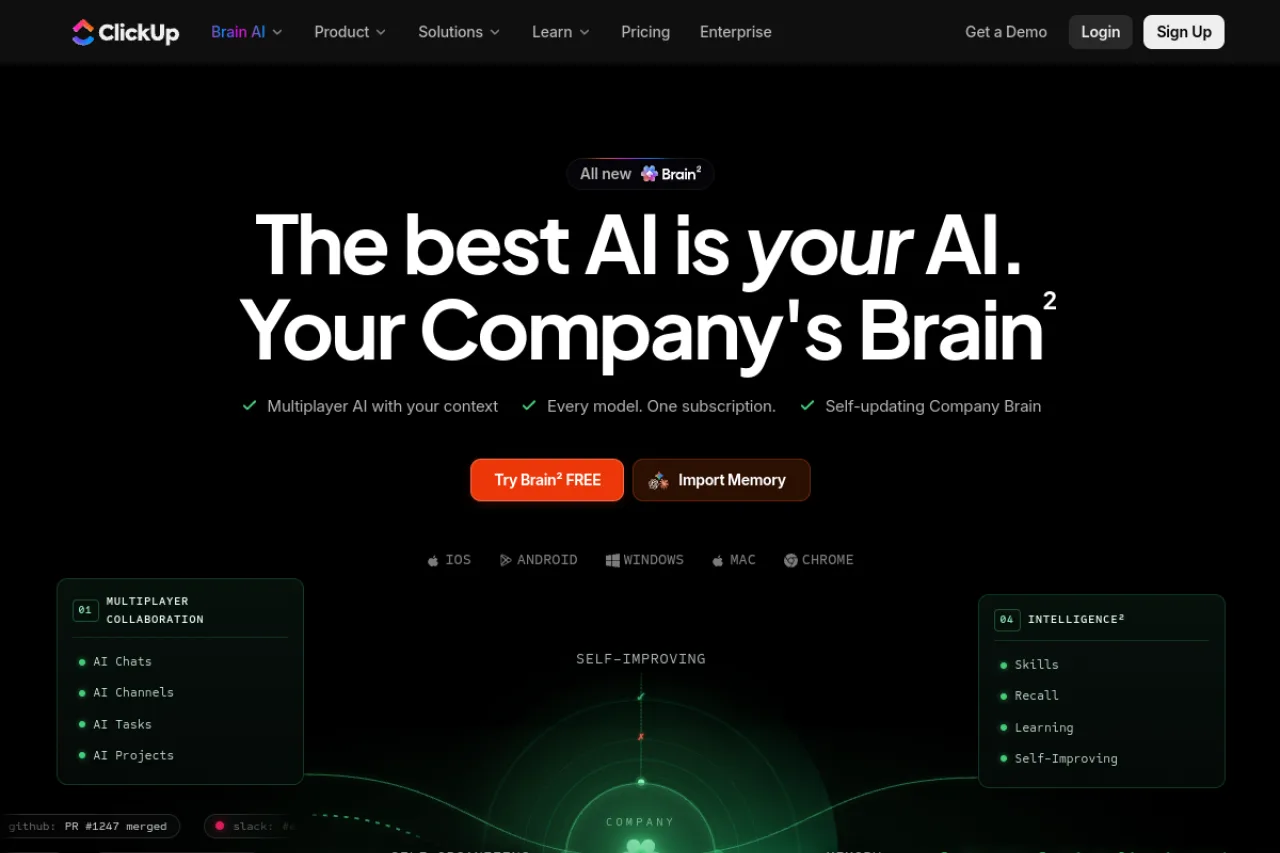
ClickUp AI (Brain²) is an AI productivity layer embedded in the ClickUp work management platform that uses your tasks, docs, conversations, and project history as context. It bundles access to multiple leading models — ChatGPT, Claude, and Gemini — under one subscription, adds assignable AI agents, and layers on a self-updating company knowledge graph. It's sold as a paid add-on on top of a paid ClickUp plan, making it most compelling for teams already committed to ClickUp who want AI woven into their existing workflows.
ClickUp AI, branded as Brain² (Brain squared), is an AI productivity layer built directly into the ClickUp work management platform. Rather than functioning as a bolt-on chatbot, it draws on your tasks, documents, conversations, and project history to provide context-aware assistance that understands how your team actually works. The core promise is that generic large language models are only "average" without context, and Brain² wraps a company-specific knowledge layer around leading models to close that gap. A defining feature is model flexibility: a single subscription grants access to multiple leading models — including ChatGPT, Claude, and Gemini — with the ability to switch between them in one click. This lets teams route different jobs to the most suitable model without juggling separate accounts or subscriptions. Brain² also introduces AI agents that act as assignable teammates, capable of handling structured work units with owners, state, and dependencies while learning from company knowledge and user feedback. The platform layers in a context engine that auto-organizes work into a semantic knowledge graph, continuously re-indexes from live workspace activity, and compresses context for efficient retrieval. On top of this sit collaborative primitives such as AI Chats, AI Channels, AI Tasks, and AI Projects, alongside organizational knowledge features like goals, versioned decisions, status updates, and closed-loop feedback capture. ClickUp AI is a paid add-on stacked on top of a paid ClickUp plan. The company offers Brain AI at a per-user monthly rate and a higher "Everything AI" tier, with heavier capabilities like Super Agents, AI Automations, and image generation drawing on a monthly pool of AI Super Credits. As always, buyers should confirm current pricing, credit allowances, and model availability on the official ClickUp site. Strengths lie in the tight integration with an already feature-rich work platform and the convenience of multi-model access under one bill. Trade-offs include the layered pricing that can meaningfully increase per-seat cost, and a learning curve inherited from ClickUp's dense interface.
ClickUp AI (Brain²) is an AI productivity layer built into the ClickUp work management platform, offering context-aware assistance across tasks, docs, and conversations. It bundles multi-model access (ChatGPT, Claude, Gemini) under one subscription, adds assignable AI agents, and layers on a self-updating company knowledge graph. It's sold as a paid add-on on top of a paid ClickUp plan, best suited to teams already standardized on ClickUp.
ClickUp is a work management platform founded in 2016 by Alex Yurkowski and Zeb Evans, positioned as an all-in-one productivity solution that consolidates tasks, docs, goals, and communication. The company grew rapidly through content-driven, SEO-led marketing and aggressive positioning against established project management incumbents, reaching profitability early in its journey.
Brain² represents ClickUp's strategic pivot toward AI, reframing the platform as a self-improving "company brain" that layers context-aware intelligence over the core work management experience. Its mission centers on making generic AI meaningfully more useful by grounding it in a team's real, continuously updated work context.
At its core, Brain² is a context-aware AI layer that draws on tasks, documents, conversations, and project history to deliver relevant assistance. A distinguishing feature is one-click switching across leading models — ChatGPT, Claude, Gemini, and more — under a single subscription, so teams can match models to jobs without separate accounts.
The platform includes a context engine that auto-organizes work into a semantic knowledge graph, continuously re-indexes from live workspace events, and compresses context for efficient, low-latency retrieval. On top of this sit collaborative primitives — AI Chats, AI Channels, AI Tasks, and AI Projects — plus organizational knowledge features such as goals, versioned decisions, status updates, and closed-loop feedback.
AI agents act as assignable teammates that handle structured work units with owners, state, and dependencies, learning from company-specific knowledge, outcomes, and user corrections. Advanced capabilities like Super Agents, AI Automations, and image generation draw on a monthly pool of AI Super Credits.
ClickUp AI targets teams and organizations already using or adopting the ClickUp platform, spanning project management, engineering, operations, marketing, and agency workflows. It serves both smaller teams looking for an integrated AI productivity boost and larger, cross-functional organizations that value multi-model access and AI agents within a single work hub. It is less relevant to buyers seeking a standalone AI assistant outside a broader work management tool.
Project managers, engineers, marketers, and operations staff who work inside ClickUp daily and use Brain² to draft content, automate workflows, and get context-aware answers. They value AI that understands their actual tasks and history rather than requiring manual context.
Team leads, department heads, and business owners who already pay for ClickUp and decide whether to add the paid AI tier. They weigh the incremental per-seat cost against productivity gains and consolidated multi-model access.
Operations and IT decision-makers, engineering leads, and power users who assess integration depth, data handling, and workflow fit. Their advocacy or concerns shape whether the AI add-on is rolled out workspace-wide.
A growing team or mid-sized organization already standardized on ClickUp for work management, seeking to embed AI into existing tasks, docs, and conversations. They want multi-model flexibility and AI agents under one subscription and are comfortable with a layered, add-on pricing structure.
ClickUp is reported to have raised approximately $537.5 million in total funding across five rounds, reaching a roughly $4 billion valuation. Its revenue is reported at around $300M ARR in 2025, up from roughly $278.5M in 2024. The company bootstrapped in its early years before taking on outside funding.
ClickUp AI (Brain²) is a paid add-on stacked on top of a paid ClickUp plan rather than a standalone product. It is offered in tiers — a lower-priced Brain AI tier around $9 per user per month and a higher "Everything AI" tier around $28 per user per month — on top of your existing seat fee. Advanced capabilities such as Super Agents, AI Automations, and image generation draw from a monthly pool of AI Super Credits, so verify current rates and credit allowances on ClickUp's pricing page.
Brain² provides access to multiple leading models under a single subscription, including ChatGPT, Claude, and Gemini. You can switch between them with a single click, letting you route different tasks to whichever model fits best. The model lineup is expanded over time, so the current list is best confirmed on the official site.
Brain² draws on your workspace context — tasks, documents, conversations, and project history — to answer questions, generate content, and take action grounded in your real work. A context engine continuously re-indexes live workspace activity into a semantic knowledge graph, while assignable AI agents can handle structured work units with owners, state, and dependencies. This means it operates across chats, channels, tasks, and projects rather than as an isolated prompt box.
Because it is an add-on, you first need an active paid ClickUp Workspace, and upgrades apply to the entire Workspace and all members. Once enabled, the AI works within your existing tasks, docs, and channels. There's a free trial with no card required, but full usage requires the underlying paid plan plus the AI subscription.
Yes. In addition to the web platform, ClickUp offers native iOS and Android apps and a Chrome browser extension for its Brain AI experience, plus desktop apps for Windows and Mac. This lets you reach the assistant across devices and while working in other tools.
ClickUp's AI evolved from earlier ClickUp AI features into ClickUp Brain and then Brain², repositioned as a self-improving, multiplayer "company brain." The newer generation emphasizes a self-updating context engine, one-click switching across multiple models, and AI agents that act as assignable teammates. It is now split across pricing tiers with credit-based access to the heaviest features.
No, ClickUp AI (Brain²) is a paid add-on that costs $9 per user per month, added to your base ClickUp plan cost. While ClickUp offers a Free Forever plan for basic project management, the AI features require the paid add-on across all tiers.
ClickUp AI is deeply integrated within the ClickUp platform itself, accessing your tasks, docs, conversations, and project history. The broader ClickUp platform integrates with tools like Slack, HubSpot, Google Drive, Gmail, and others, which the AI can potentially reference. Specific external AI integrations were not detailed in available research.
ClickUp AI is purpose-built for project execution within ClickUp's ecosystem, while alternatives like Notion focus more on documentation and databases. According to 2025 reviews, ClickUp outperforms Asana and Monday.com in workflow flexibility (83% user rating for complex setups), but alternatives often win on simplicity. ClickUp AI is best when you need AI integrated with project management; standalone tools like ChatGPT or Claude offer more flexibility outside project contexts.
Side-by-side pages for pricing, features, and best-fit use cases.
Akiflow excels at time-blocking, but lacks meeting intelligence and team collaboration. These six alternatives fill those gaps.
Fellow prioritizes privacy and security, but alternatives like MeetGeek, Sembly AI, and tl;dv offer different strengths in automation, integrations, and pricing.
Height excels at autonomous AI task management, but teams often need simpler task tracking, meeting intelligence, or broader workspace features instead.
An AI-powered work platform combining projects, tasks, docs, goals, and chat in one app
Connected AI workspace for product discovery and work management
AI project management platform that manages workloads and flags risks
AI-powered customer onboarding and professional services automation platform