Kroolo
Project Management
An AI-powered work platform combining projects, tasks, docs, goals, and chat in one app
ai-project-managementall-in-oneokrs
Free planView →

Todoist is a task management platform with AI-assisted features for organizing personal and team projects
Best for people already committed to Todoist who want natural-language task entry and AI help breaking big goals into subtasks. The caveat is the AI layer is a modest add-on, not a reason to switch if you are not already a Todoist fan.
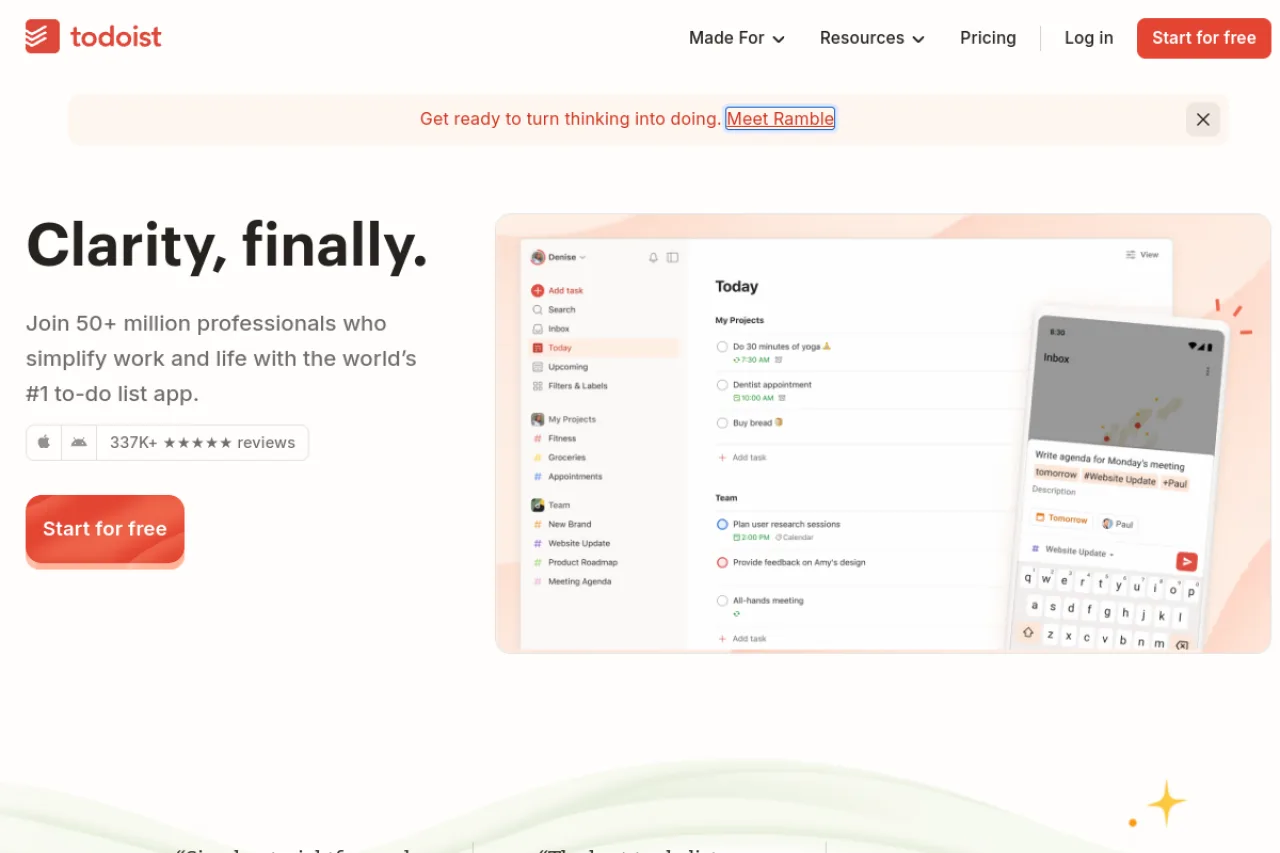
Todoist is a widely used task and project management app that layers AI-assisted features—like Task Assist for breaking down work and Ramble for voice capture—onto a fast, minimalist to-do list. It suits individuals and small-to-midsize teams who want dependable organization, natural-language task entry, and calendar and app integrations without the complexity of heavier project suites. Its free tier is capable, and paid plans are competitively priced, though buyers should verify current rates after a late-2025 pricing update.
Todoist is a task and project management platform that pairs a clean, fast to-do list experience with a layer of AI-assisted features designed to reduce the friction of capturing and organizing work. Built by Doist, it has become one of the most widely adopted productivity apps, serving both individuals managing personal life admin and teams coordinating shared projects. Its hallmark is simplicity: natural-language quick add, flexible list and board layouts, and reliable reminders that work across every major platform. The AI additions extend the core experience rather than replacing it. Task Assist helps break down and refine tasks, while Ramble lets users turn spoken thoughts into structured tasks through voice input. These features slot into the existing workflow, so the app stays lightweight even as it takes on more automation. For teams, Todoist offers shared workspaces, team projects, granular activity logs, roles and permissions, and centralized billing on its Business tier. Deep calendar integration with Google Calendar and Outlook, plus a broad catalog of app connections, lets it act as a hub that fits into existing stacks instead of demanding a wholesale switch. Pricing is straightforward and among the most affordable in the category, with a usable free Beginner plan, a Pro tier aimed at individual professionals, and a Business tier for teams. Following a December 2025 price change, buyers should confirm current rates on the official site before committing. Overall, Todoist is best understood as a polished, dependable task manager that has added practical AI touches rather than an AI-first project platform.
Todoist is a leading task and project management app from Doist that adds AI-assisted features—Task Assist and Ramble voice capture—to a fast, minimalist to-do list. It serves individuals and teams with competitively priced freemium plans and broad calendar and app integrations. It's a dependable, polished choice for everyday task management rather than an AI-first project platform.
Todoist is developed by Doist, a company founded by Amir Salihefendić, who built the original Todoist while a student in Denmark. The company has grown from a solo project into a widely used productivity platform reported to serve over 50 million professionals, and it is notable for its long-standing bootstrapped, remote-first approach to building software.
Doist's mission centers on helping people and teams organize work, manage projects, and stay focused to make meaningful progress every day. The company has cultivated a reputation for product-led, opinionated design—prioritizing simplicity and reliability over feature bloat—while expanding into team collaboration and, more recently, AI-assisted capabilities.
At its core, Todoist offers natural-language task capture, flexible list and board layouts, projects, filters, reminders, and priorities across web, desktop, and native mobile apps with offline support. Deep calendar integration with Google Calendar and Outlook, along with a large catalog of app connections and a developer API, lets it operate as a central productivity hub.
Recent AI features extend this foundation: Task Assist helps generate and refine task details, and Ramble converts spoken input into structured tasks. For teams, the Business tier adds shared workspaces, team projects, granular activity logs, shared templates, roles and permissions, and centralized billing. Security is backed by SOC 2 Type II certification and a public trust center.
Todoist serves a broad spectrum from individual consumers managing personal life admin to solo professionals, freelancers, and students, up through small and midsize teams coordinating shared projects. Its affordability and simplicity make it especially attractive to individuals and lean teams that want reliable organization without the overhead of enterprise project suites.
Individuals, professionals, students, and team members who capture, organize, and complete tasks daily across their devices. They value speed, natural-language entry, and low-friction planning.
Solo professionals purchasing Pro subscriptions and team leads or managers adopting the Business plan for shared coordination. They prioritize affordability, ease of adoption, and integration with existing tools.
Team leads, operations coordinators, and productivity enthusiasts who champion a preferred tool and shape adoption within a group. Reviewers and tech publications also influence perception in this crowded category.
An individual professional or small-to-midsize team seeking an affordable, cross-platform task manager with calendar integration and modest AI assistance, without needing enterprise-grade project management or self-hosting.
Todoist's maker, Doist, is fully bootstrapped and has never raised venture capital by design. The founder reported surpassing $100 million in cumulative lifetime revenue in 2024; the company is profitable and fully remote.
Todoist offers a free Beginner plan, a Pro plan at around $5 per month billed annually ($60/year), and a Business plan at about $8 per user/month ($96/year). A December 2025 pricing update changed rates and some plan features, so confirm current pricing on the official site. Pro remains one of the more affordable individual productivity subscriptions available.
You capture tasks using natural-language quick add, where typing something like 'submit report every Friday at 3pm' automatically sets recurrence and reminders. Tasks are organized into projects with flexible list or board layouts, and you can add due dates, priorities, and filters. AI features like Task Assist help refine or break down tasks, while Ramble converts spoken input into tasks.
Todoist works across web, desktop, and native mobile apps for iOS and Android, with synchronization across devices. It also supports offline use so you can add and edit tasks without a connection and sync later. This cross-platform consistency is one of its long-standing strengths.
Todoist integrates with Google Calendar and Outlook for two-way calendar syncing, along with a large catalog of app connections through its integrations directory. It also provides a developer API for building custom automations and connections. This makes it practical to slot Todoist into an existing productivity stack.
Todoist is SOC 2 Type II certified and offers a trust center detailing its compliance posture. Business plans add team roles, permissions, granular activity logs, and centralized billing to support organizational oversight. Buyers with strict requirements should review the current documentation in Todoist's trust center.
Recent additions include Task Assist, which helps generate and refine task details, and Ramble, which turns voice input into structured tasks. These features are folded into the existing app experience rather than offered as a separate product. Availability and limits vary by plan, with unlimited Ramble reserved for paid tiers.
Todoist offers a free Beginner plan with basic task management, but it's limited to 5 projects. AI features including Ramble voice input, reminders, and calendar view are available on the Pro plan starting at $5/month (billed annually at $48/year) or $4/month on annual billing according to some sources.
Todoist integrates with Google Calendar and Outlook through two-way sync (added in 2025). It also offers API access that users have connected with ChatGPT API for custom automation workflows. The platform has an integrations page suggesting broader third-party app support, though specific integrations weren't detailed in the research.
Todoist is frequently compared to TickTick (which offers more free productivity tools), Any.do (with drag-to-calendar scheduling), Things 3 (beautifully designed for Apple users with one-time purchase), and free options like Google Tasks and Microsoft To-Do. For teams, alternatives like ClickUp and Trello offer more robust project management features, while Todoist focuses on straightforward task management with AI assistance.
Side-by-side pages for pricing, features, and best-fit use cases.
tl;dv is an AI meeting notetaker for Zoom, Google Meet, and Teams, while Todoist AI is a task management platform with AI features for organizing work.
Taskade offers AI-powered workspace building with no-code apps and agents, while Todoist AI focuses on streamlined task management with AI assistance.
Height excels at autonomous AI task management, but teams often need simpler task tracking, meeting intelligence, or broader workspace features instead.
Todoist AI excels at personal task management, but these alternatives offer time-blocking, meeting automation, and team workflows it doesn't.
An AI-powered work platform combining projects, tasks, docs, goals, and chat in one app
Connected AI workspace for product discovery and work management
AI project management platform that manages workloads and flags risks
AI-powered customer onboarding and professional services automation platform