
MeetGeek
Meeting Assistants
MeetGeek is an AI meeting assistant that automatically records, transcribes, and summarizes video meetings across platforms like Zoom and Microsoft Teams
transcribe-meetings
Free planView →

Prezi AI is an AI-powered presentation maker that generates studio-quality presentations through conversational promp...
Best if you specifically want Prezi zoom-and-pan style presentations generated with AI assistance. The caveat is that the non-linear format is divisive and can distract from content, and you are locked into the Prezi ecosystem.
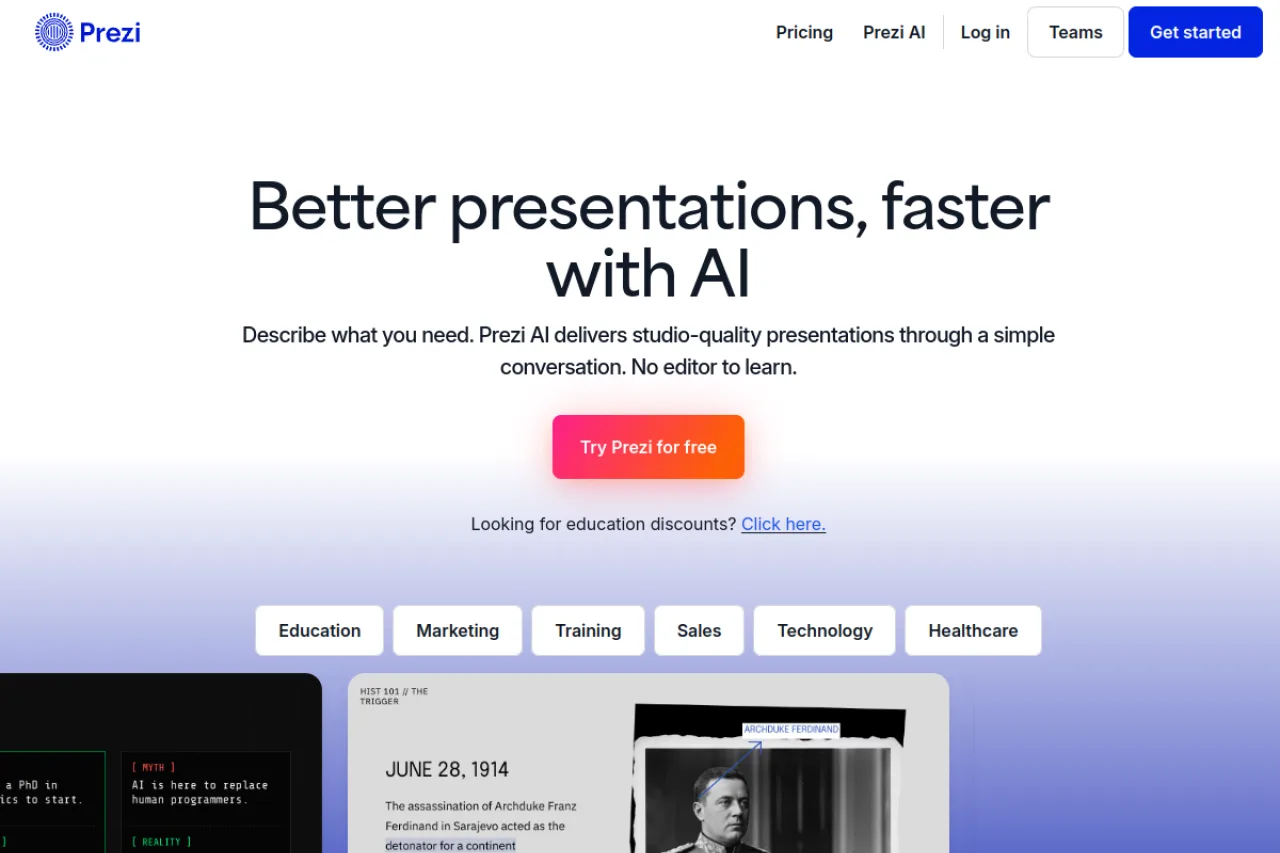
Prezi AI is an AI-powered presentation maker that generates editable presentations from conversational prompts on Prezi's signature non-linear, zooming canvas. It supports content generation from talking points, PDF and PowerPoint import, AI image creation, and a broad library of visual themes, making it well suited to teams that want memorable, motion-driven visual storytelling. Its AI depth is more limited than some newer AI-native tools, and its zoom effects can feel overwhelming for dense, data-heavy content.
Prezi AI applies conversational AI generation to Prezi's long-standing zooming, non-linear canvas. Instead of building a deck slide by slide, users describe what they want in plain language and the tool assembles an editable presentation with dynamic layouts that pan and zoom between sections rather than advancing through a linear sequence. The result is a format designed to feel more like visual storytelling than a traditional slideshow. The platform generates content from prompts, supporting a set of talking points that structure the presentation, and it can import existing PDF and PowerPoint files as a starting point. AI features extend to image creation and text transformation, and Prezi's broader ecosystem also covers video and infographic formats, giving teams more than one way to package a message. Prezi AI leans heavily on themes and templates, offering a wide range of visual styles from editorial and magazine layouts to illustrated and retro art directions. This makes it straightforward to produce something that looks polished quickly, and the emphasis on motion helps presentations stand out in settings where a static deck would blend in. The same motion-first approach is also the platform's main trade-off. The zooming effects that make Prezi distinctive can feel busy or distracting for dense, data-heavy content, and its AI generation is more constrained than some newer AI-native presentation tools that offer deeper iterative editing and longer content generation. Prezi remains a freemium product with paid tiers, so buyers should confirm current pricing and export capabilities on the official site before committing. For teams that value a distinctive, memorable visual style and want AI to accelerate the first draft, Prezi AI is a strong fit. For those who need dense analytical decks or maximum control over AI-generated content, the format may require more manual adjustment than a conventional slide tool.
Prezi AI is an AI-powered presentation maker that turns conversational prompts into editable presentations on Prezi's signature zooming, non-linear canvas. It excels at distinctive visual storytelling and offers a rich theme library, PDF/PowerPoint import, and AI image and text tools. Its AI depth trails some newer AI-native tools, and its motion effects can overwhelm dense, data-heavy content.
Prezi is a cloud-based interactive presentation platform known for its distinctive zooming, non-linear canvas that departs from traditional slide-by-slide decks. The company was founded by Peter Arvai, Péter Halácsy, and Adam Somlai-Fischer, and its mission centers on helping presenters connect more effectively with audiences through more engaging visual formats.
Prezi AI is the company's AI-enhanced layer, applying conversational generation and automated design to that same zooming canvas. Jim Szafranski is listed as CEO. Prezi continues to serve business, education, sales, and marketing audiences with presentation, video, and infographic tools.
Prezi AI generates editable presentations from natural-language prompts, structuring content around talking points and applying one of many art-directed themes. It supports importing PDF and PowerPoint files as starting material, and includes AI image creation and text transformation to refine generated content.
The defining feature is Prezi's non-linear, zooming canvas, which pans and zooms between sections rather than advancing linearly, producing a storytelling experience distinct from conventional slides. Beyond presentations, the broader Prezi ecosystem also offers video and infographic formats. A wide theme library spanning editorial, magazine, illustrated, pixel-art, and retro styles makes polished results accessible to non-designers.
Prezi AI targets sales, marketing, business, education, training, technology, and healthcare audiences who value engaging, memorable presentations over standard linear decks. It appeals to non-designers who want professional visuals quickly, as well as teams and educators, with dedicated education discounts and business/team plans for organizations.
Sales reps, marketers, educators, trainers, and business presenters who create decks and want engaging, non-linear visuals without heavy design effort.
Team leads, marketing and sales managers, and education administrators evaluating presentation tools for their groups and weighing per-user costs.
Design-conscious team members, presentation coaches, and existing Prezi users who advocate for distinctive visual formats over standard slideware.
A sales, marketing, or education-oriented team that prioritizes memorable visual storytelling and wants AI to speed up drafting, while accepting a moderate price and a motion-heavy format over dense analytical decks.
Prezi has raised $72.8M in total funding across five rounds, most recently a $57M Series C in 2014, and has not publicly disclosed its valuation. Reported revenue figures place the company at roughly $53.7M ARR (2024).
Prezi offers a free tier to get started with no credit card required, and paid plans add features like image editing and larger asset libraries. Pricing is organized across Basic, Individual, Students & Educators, and Business tabs, with paid paths typically offering a free trial. Because tiers and features change, confirm current pricing, export limits, and per-user team billing on Prezi's official pricing page.
You describe what you need in plain language, and Prezi AI generates an editable presentation built on its zooming, non-linear canvas. The tool structures content around a set of talking points and applies a chosen theme, then lets you refine text, images, and layout. You can also start from an imported PDF or PowerPoint file rather than a blank prompt.
Yes. Prezi AI supports importing PDF and PowerPoint files as a starting point, so you can repurpose existing decks into Prezi's format. Keep in mind that content moves into Prezi's non-linear canvas, so imported material may need adjustment to fit the zooming layout.
Beyond presentations, Prezi supports video and infographic formats within its broader ecosystem. AI features include content generation from prompts, AI image creation, and text transformation. Themes span a wide range of visual styles, from editorial and magazine layouts to illustrated and pixel-art looks.
Yes. Prezi provides dedicated education discounts for students and educators, plus Business and Teams options with per-user billing for organizations. Eligibility and pricing vary, so verify the applicable plan and any education requirements directly on Prezi's site before purchasing.
It can handle a range of content, but the zooming and motion effects are best suited to visual storytelling rather than dense analytical decks. For heavily data-driven presentations, the motion may feel distracting and require more manual tuning. Teams needing tightly controlled, static layouts may find a conventional slide tool a better fit.
Prezi AI does not offer a true free plan. There is a Basic tier with limited features, but AI functionality requires a paid plan. The Standard plan ($7/month billed annually) includes 500 AI credits for presentation generation with up to 10 talking points. Plus ($19/month) and Premium ($29/month) plans offer unlimited AI usage. All paid plans include a 14-day free trial with no credit card required.
Prezi AI can import existing PowerPoint slides and PDFs (available on Plus and Premium plans). The platform offers a desktop application with offline access on higher tiers. However, detailed integration information with other third-party tools was not found in our research—check the official Prezi website for current integration capabilities.
Prezi AI stands out for its unique non-linear, zooming presentation style that creates engaging visual storytelling experiences. However, reviews indicate it has more limited AI functionality compared to newer tools like Plus AI, Beautiful.ai, Gamma, and Dokie AI. Alternatives like Plus AI work as extensions within PowerPoint and Google Slides, offering better file compatibility. Tools like Beautiful.ai and Gamma provide more advanced AI-powered workflows and automation. Prezi's strength lies in its distinctive visual approach rather than cutting-edge AI capabilities.
Side-by-side pages for pricing, features, and best-fit use cases.
Gamma excels at AI-generated presentations, but these six alternatives offer better integration, audience engagement, or design control for different workflows.
Compare 8 AI presentation makers that generate slides from text, prompts, or documents. Find the right tool for your workflow and budget.
MeetGeek is an AI meeting assistant that automatically records, transcribes, and summarizes video meetings across platforms like Zoom and Microsoft Teams

Canva AI is a suite of AI-powered design and image creation tools integrated into Canva's design platform

Gemini is Google's multimodal AI chatbot that handles text, images, audio, and video understanding with real-time Google Search integration and deep Google Workspace compatibility

ChatGPT is an AI chatbot developed by OpenAI that handles conversational tasks including writing, coding, learning, and brainstorming