Kroolo
Project Management
An AI-powered work platform combining projects, tasks, docs, goals, and chat in one app
ai-project-managementall-in-oneokrs
Free planView →

Akiflow is a time-blocking productivity app that consolidates tasks and calendars from multiple sources into one unif...
Best for power users who want a keyboard-driven command bar to pull tasks from many apps and time-block them onto a calendar. The caveat is that it is pricey with no free tier and can feel heavy for simple to-do needs.
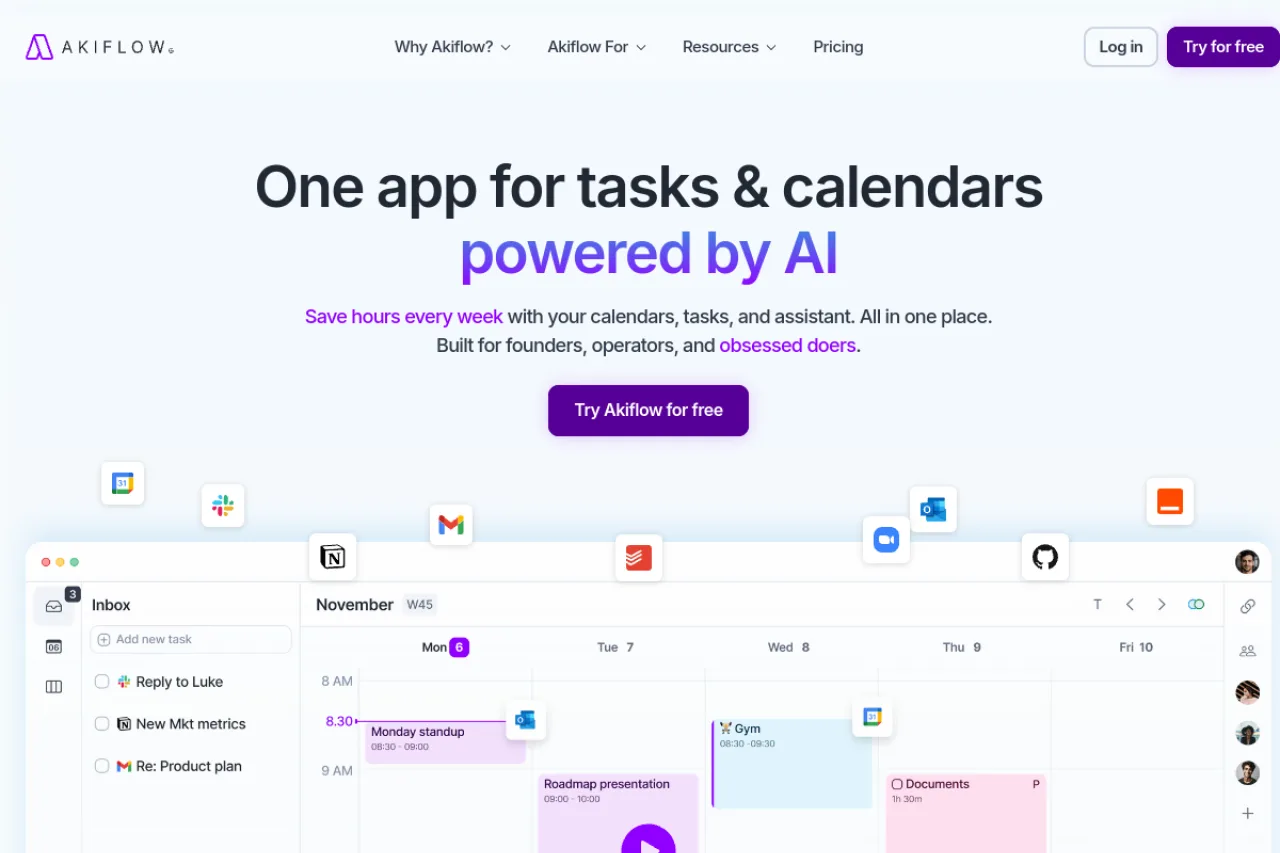
Akiflow is a time-blocking productivity app that unifies tasks and calendars from many sources into one workspace. Its Universal Inbox consolidates to-dos from thousands of connected tools, while drag-and-drop scheduling, recurring routines, and two-way Google and Outlook sync form the daily workflow. An AI assistant named Aki adds scheduling suggestions and conflict rescheduling. It's aimed at founders, operators, and busy professionals willing to adopt a structured time-blocking methodology in exchange for a premium subscription.
Akiflow is a time-blocking digital planner built for founders, operators, and busy professionals who juggle tasks and calendars across many different tools. Its core promise is consolidation: instead of switching between a to-do app, an email client, and multiple calendars, you pull everything into a single workspace where you can triage, prioritize, and schedule in one place. The centerpiece is the Universal Inbox, which imports tasks and to-dos from a wide range of connected apps so nothing gets lost across systems. From there, you drag tasks directly into calendar time slots, set up recurring tasks and daily routines, and keep work and personal calendars in perfect sync through two-way integration with Google Calendar and Outlook. Keyboard-driven shortcuts and quick capture make the day-to-day workflow fast for people who live in the app. Akiflow layers an AI executive assistant, Aki, on top of this foundation. Aki can suggest time blocks, help reschedule when conflicts arise, and answer natural-language questions about your availability. The company positions Aki as an assistant that helps you plan rather than a fully autonomous scheduler that runs your calendar without you — a distinction worth keeping in mind if you're expecting hands-off automation. The platform is available on desktop and mobile, with real-time meeting notifications and cross-device sync. Akiflow has also introduced an MCP (Model Context Protocol) integration, extending how AI assistants can connect with its data. The overall design emphasizes clarity and speed, appealing to people who want a deliberate, methodology-driven approach to managing their time. Akiflow is best understood as a premium productivity commitment. It rewards users who fully adopt its time-blocking methodology, but it carries a subscription cost above many standalone task apps, so buyers should confirm current pricing and trial terms on the official site before committing.
Akiflow is a premium time-blocking digital planner that consolidates tasks and calendars from many sources into one workspace, anchored by a Universal Inbox and drag-and-drop scheduling. It adds an AI assistant, Aki, for scheduling suggestions and conflict rescheduling, and syncs across desktop and mobile. It's built for founders, operators, and busy professionals willing to commit to a structured planning methodology, priced at the higher end of individual productivity apps.
Akiflow is a productivity company that builds a time-blocking planner unifying tasks and calendars into a single interface. It was founded by Nunzio Martinello and Sebastiano Favaro, and the product is designed in Italy. The company is backed by Y Combinator.
Akiflow's mission centers on helping ambitious professionals and teams master time management through the time-blocking methodology, reducing app-switching and interruptions by bringing to-dos from thousands of tools into one place. The company markets the product to a global base of busy professionals and continues to evolve toward deeper AI-assisted planning.
At its core, Akiflow provides a Universal Inbox that imports tasks from a large ecosystem of connected apps, plus a unified calendar that keeps work and personal schedules in sync with two-way Google Calendar and Outlook integration. Users drag tasks into time slots to plan their day, set recurring tasks and daily routines, and rely on keyboard shortcuts and quick capture for speed.
The platform includes Aki, an AI executive assistant that suggests time blocks, answers availability questions, and helps reschedule when conflicts arise while keeping the user in control. Additional capabilities include labels and categories, availability slots, meeting links, productivity analytics, emails-into-tasks conversion, and Zapier/IFTTT connectivity. Akiflow runs on both desktop and mobile with real-time meeting notifications, and it recently launched an MCP integration to connect AI assistants with its data.
Akiflow serves individual knowledge workers and small teams who manage complex, tool-fragmented workflows — particularly founders, operators, executives, consultants, and productivity-focused professionals. Its premium positioning and methodology-driven approach favor users who are willing to invest in a consistent time-blocking practice rather than casual or budget-constrained task-list users.
Founders, operators, and busy professionals who plan their days by time-blocking and want tasks, calendars, and an AI assistant in one fast, keyboard-driven interface.
Individual professionals purchasing a personal productivity subscription, or team leads evaluating Akiflow for a small group committed to structured time management.
Productivity coaches, operations leaders, and colleagues who advocate time-blocking methodologies and recommend consolidated task-and-calendar tools.
A time-pressed operator or founder who juggles many tools and calendars, values a deliberate planning methodology, and is willing to pay a premium subscription for a unified, AI-assisted workspace.
Akiflow is backed by Y Combinator. Specific funding amounts, valuation, and investor details are not confirmed in the available research.
Akiflow's Pro plan is billed at around $34 per month on the monthly option, dropping to roughly $19 per month when billed annually. A 7-day free trial is available, and the company mentions exclusive discounts for university students and researchers. Always confirm current pricing on the official site, since plans and promotions change.
Tasks flow into the Universal Inbox from your connected apps, where you triage and prioritize them. You then drag tasks directly onto your calendar to time-block your day, with work and personal calendars kept in sync. Aki, the AI assistant, can suggest time slots and help reschedule when conflicts come up.
Akiflow offers both desktop and mobile apps with cross-device sync and real-time meeting notifications. It integrates with Google Calendar and Outlook using two-way sync, so changes made in either place stay consistent. Setup typically involves connecting your calendars and the task tools you already use.
Akiflow connects to a broad range of tools, importing tasks into the Universal Inbox from thousands of apps via native integrations and Zapier/IFTTT. It supports popular productivity tools such as ClickUp and can turn emails into tasks. It has also added an MCP integration for connecting AI assistants to its data.
No. Aki is positioned as an executive assistant that helps you plan rather than one that runs your calendar without oversight. It can propose time blocks, answer availability questions, and help reschedule, but it keeps you in control of decisions rather than acting fully autonomously.
Akiflow recently launched an MCP (Model Context Protocol) integration, letting AI assistants connect more directly with its calendar and task data. This reflects the product's broader move toward deeper AI-assisted planning alongside its established time-blocking core.
No, Akiflow does not offer a free plan. It provides a 7-day free trial, after which you must subscribe to either the monthly plan at $34/month or the yearly plan at $19/month (billed annually). Students, researchers, and military personnel may qualify for exclusive discounts by contacting support.
Akiflow integrates with over 3,000 tools through its Universal Inbox, including Gmail, Slack, Todoist, Asana, ClickUp, Monday, Notion, Dropbox, and Google Drive. It also offers a native Zapier connector and API support for custom integrations.
Users praise Akiflow for its seamless calendar-task integration and time-blocking features, but note it's more expensive than alternatives. Routine is frequently mentioned as a cheaper alternative with similar features plus notes functionality. Reclaim offers more automation while Akiflow provides manual control and precision. Akiflow excels at consolidation but isn't ideal for hardcore project management like Asana or ClickUp.
Side-by-side pages for pricing, features, and best-fit use cases.
Akiflow excels at time-blocking, but lacks meeting intelligence and team collaboration. These six alternatives fill those gaps.
Fellow prioritizes privacy and security, but alternatives like MeetGeek, Sembly AI, and tl;dv offer different strengths in automation, integrations, and pricing.
Todoist AI excels at personal task management, but these alternatives offer time-blocking, meeting automation, and team workflows it doesn't.
An AI-powered work platform combining projects, tasks, docs, goals, and chat in one app
Connected AI workspace for product discovery and work management
AI project management platform that manages workloads and flags risks
AI-powered customer onboarding and professional services automation platform