Beautiful.ai logo

Beautiful.ai

Updated Jun 2026
presentation#build-presentations
Teams

About Beautiful.ai

Beautiful.ai is an AI-powered presentation platform whose Smart Slides automatically handle layout, alignment, and formatting so users can build clean, on-brand decks quickly. It combines template-driven design with an AI deck generator, brand controls, and data visualization, serving individuals, agencies, and enterprise teams. It trades fine-grained creative control for speed and consistency, and pricing scales notably from individual to team plans.

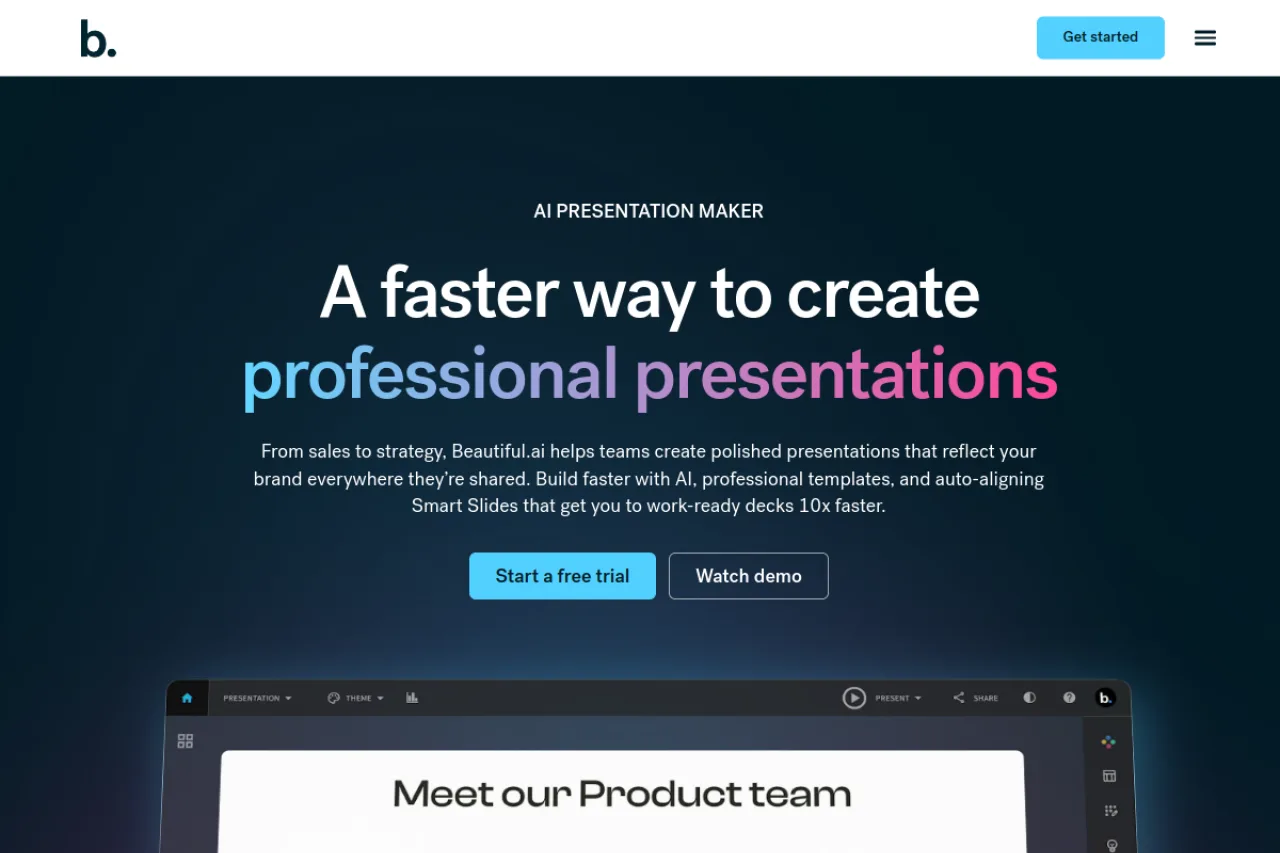
Beautiful.ai is a presentation design platform built around the idea that most people shouldn't have to fight with layouts, alignment, and spacing to produce a polished deck. Its signature feature, Smart Slides, applies design rules automatically as you add content, so slides re-balance themselves whenever you insert text, images, or data. The result is a workflow where non-designers can assemble clean, on-brand presentations without manually nudging every element into place. The platform layers an AI presentation generator on top of this template-driven system, letting you go from a prompt or outline to a first-draft deck that you then refine. Brand control settings enforce consistent fonts, colors, and logos across a team's decks, which is where Beautiful.ai's value grows for organizations rather than solo users. Data visualization tools round out the offering with dynamic charts and graphs that update as figures change. Beautiful.ai targets a broad audience: individuals who want faster personal decks, consultants and agencies producing client-facing work, and enterprise teams that need brand consistency at scale. Common use cases span marketing presentations, sales decks, startup pitches, and recurring reporting materials. The Team and Enterprise tiers add shared workspaces, engagement analytics, admin controls, and enterprise security features like SSO and user provisioning. The main trade-off is control. Because the system prioritizes automated design, users who want pixel-level creative freedom or heavy custom layouts may feel constrained compared with traditional tools like PowerPoint. Importing existing PowerPoint files can also lose fidelity, and pricing scales sharply once you move from an individual seat to a multi-person team. Pricing starts at $12/month for the individual Pro plan (billed annually), with Team plans at roughly $40 per user/month billed annually and custom Enterprise pricing. Buyers should confirm current pricing and plan limits on the official site, since tiers and feature allocations change over time.

TL;DR

Beautiful.ai is an AI-powered presentation platform that automates slide layout through Smart Slides, adds an AI deck generator, brand controls, and data visualization. It targets individuals, agencies, and enterprise teams needing fast, on-brand decks. Pricing starts at $12/month for individuals and scales to per-seat Team and custom Enterprise plans. Its main trade-off is limited fine-grained design control in exchange for speed and consistency.

Company overview

Beautiful.ai is a presentation software company associated with founder Mitch Grasso, with Jason Lapp serving as CEO. The company has operated for over a decade, focusing on making professional presentation design accessible to non-designers through automated, rules-based slide layouts.

Its mission centers on helping teams create polished, on-brand presentations quickly, positioning design automation and, more recently, AI-driven deck generation as alternatives to manual slide-building tools.

Product features

The platform's core is Smart Slides, which apply design rules automatically so layouts re-balance as content is added or edited. An AI presentation maker generates first-draft decks from prompts or outlines, giving users a starting structure to refine.

Brand control settings enforce cohesive visual styling—fonts, colors, and logos—across decks and teams. Data visualization tools produce dynamic charts and graphs for reporting slides. Presentation workflow features support scaling deck creation across a business.

Higher tiers add shared team workspaces, engagement analytics, admin tools, and enterprise-grade security including SSO and user provisioning, along with priority support and dedicated account management at the Enterprise level.

Target market

Beautiful.ai serves individuals seeking faster personal decks, consultants and agencies producing client-facing presentations, smaller businesses, and larger enterprises needing brand consistency and centralized governance. Common use-case segments include marketing, sales, startup pitches, reporting and analytics, and training and development.

Buyer personas

End users

Marketers, salespeople, consultants, and founders who need to build professional decks without design expertise, valuing speed and automated layout over manual control.

Buyers

Team leads, agency owners, and department managers who purchase seats to standardize presentation quality and branding across their group.

Key influencers

Brand and design leads, sales enablement managers, and IT/security teams who weigh brand controls, admin governance, and enterprise security features.

Ideal customer profile

Agencies and mid-market to enterprise teams that produce frequent, brand-sensitive presentations and prioritize consistency, speed, and centralized management over pixel-level design customization.

Funding & performance

Beautiful.ai raised a $45 million round led by General Catalyst in March 2026, bringing total funding to more than $61 million after roughly a decade of operation. Earlier third-party figures cited around $13.5 million ARR; treat unverified aggregator numbers as approximate.

Pros & cons

Pros

  • Consistently high user ratings (4.6–4.7/5 on G2 and Capterra in 2024–2025) with praise for speed and professional design output
  • Smart Slides feature automatically aligns and formats content, allowing non-designers to create visually appealing presentations quickly
  • Strong brand control features and design system ensure consistent visual styling across team presentations
  • Includes data visualization tools for dynamic graphs, charts, and data slides

Cons

  • Editing feels constrained with limited fine-grained creative control compared to PowerPoint or Canva
  • AI assistance is more limited than competitors like Gamma or Tome, focusing primarily on formatting rather than content generation
  • PowerPoint import fidelity issues reported, requiring cleanup when sharing .pptx files externally
  • Design-oriented approach can feel too structured and less aesthetic for some users

Pricing plans

Pro
$12 / month
  • For individual users
  • Billed annually ($15/month on monthly billing)
Team
$40 / month
  • Per user pricing
  • Up to 20 users
  • Billed annually ($46-$50/month on monthly billing)
Enterprise
Custom / month
  • For organizations of 20+ people
  • Additional security, support, and control
  • Custom pricing

Key features

Team collaboration
Input types
text, data, images
Output types
presentation, slides, charts

Compare key features

View all alternatives →
Feature
Beautiful.ai
Pitch
SlidesAI
Pricing
Paid
Freemium
Freemium
Free plan
No
Yes
Yes
Free trial
No
No
No
Team support
Yes
Yes
Yes

Frequently asked questions

How much does Beautiful.ai cost and what will I actually pay?+

The individual Pro plan is $12/month billed annually. Team plans run about $40 per user/month billed annually (or roughly $50 per user/month otherwise) for up to 20 users, and Enterprise is custom-priced. Costs scale quickly for larger teams, so a 10–15 person group becomes a significant annual spend rather than a lightweight purchase.

How does the core workflow actually work?+

You start from a template, an AI-generated draft, or a blank deck, then add content into Smart Slides that automatically adjust layout, spacing, and alignment as you type or drop in media. You can generate a first-draft presentation from a prompt or outline and then refine it. Brand controls apply consistent styling across slides so the deck stays on-brand throughout.

Can I import my existing PowerPoint files?+

Beautiful.ai supports working with existing content, but PowerPoint import fidelity is a known limitation and complex slides may not transfer cleanly. Teams migrating large decks should expect some manual cleanup. It's best to verify current import and export capabilities on the official site before committing.

What integrations does Beautiful.ai offer?+

Beautiful.ai provides an integrations section to connect popular workplace tools, and Enterprise plans include integrations designed to scale usage across larger organizations. Enterprise tiers also add SSO and user provisioning. Check the official integrations page for the current, exact list of supported connections.

Is Beautiful.ai secure enough for enterprise use?+

Enterprise plans include enterprise-grade security features such as single sign-on (SSO) and user provisioning, along with admin tools and dedicated account management. These controls target organizations that need centralized user management and consistent governance. Confirm specific compliance certifications directly with the vendor for your requirements.

What has changed recently with Beautiful.ai?+

The platform has expanded its AI presentation workflow, letting users generate decks from prompts rather than only editing templates manually. This positions Beautiful.ai alongside newer AI-first presentation tools. Because AI features evolve quickly, review the latest product updates page for current capabilities.

Is Beautiful.ai free?+

Beautiful.ai does not offer a free plan or free trial according to the research. The lowest-priced option is the Pro plan at $12/month when billed annually ($15/month on monthly billing). Some sources mention a Starter tier for Presentations AI, but this appears to be a different product.

What does Beautiful.ai integrate with?+

The research confirms Beautiful.ai has an integrations page and mentions the ability to 'connect your favorite tools,' but specific integration partners were not detailed in the available research. Check the official integrations page for the current list of supported tools.

How does Beautiful.ai compare to alternatives?+

Beautiful.ai excels at design consistency and speed but offers less creative control than Canva or PowerPoint and less AI content assistance than Gamma or Tome. Users in Reddit comparisons note it's 'design-oriented' with a 'consistent design system' but 'editing feels constrained' and 'AI assistance limited compared to others.' Top alternatives mentioned include Visme, Prezi, Pitch, and Google Slides.

Reviews (0)

Write a review

Pick a rating
Loading reviews…
Compare

Compare Beautiful.ai with other AI tools

Side-by-side pages for pricing, features, and best-fit use cases.

All comparisons →
Suggested comparison

Beautiful.ai vs Pitch

Generate in admin →
Suggested comparison

Beautiful.ai vs SlidesAI

Generate in admin →
Suggested comparison

Beautiful.ai vs Plus AI

Generate in admin →
Suggested comparison

Beautiful.ai vs Prezi AI

Generate in admin →
Suggested comparison

Beautiful.ai vs Gamma

Generate in admin →
Suggested comparison

Beautiful.ai vs Decktopus

Generate in admin →

From the blog

All articles →

Similar tools you may like